

You watch the screen as the cashier scans your apples, and the total doesn’t move. Then it does. Then it doesn’t again. That “free produce” moment isn’t one single famous incident with one confirmed cause. It pops up in different places for different reasons. People have described it at self-checkouts in the U.S. and Canada, and in UK supermarkets that use weighed barcodes, but the exact trigger varies by chain and by system. The core mechanism is usually boring and technical: produce is treated differently from packaged goods, and the scanner is often just one piece of a bigger loop between a scale, a barcode, and a price file.
Why produce is the easiest thing to “accidentally” make free
Most groceries have a fixed price embedded in a UPC barcode. Produce often doesn’t. Sometimes it’s sold by weight, sometimes by each, sometimes by a promotion, and sometimes it’s “price look-up” where the system expects a code, not a packaged barcode.
That flexibility creates extra steps. A self-checkout might ask you to place items on a bagging scale. A staffed lane might rely on a scale built into the counter. A printed label from the produce scale can contain an internal code, a weight, and a check digit. If any one of those pieces doesn’t match what the register expects, some systems fail “softly.” They accept the scan but record a $0 line item until something else forces a refresh.
How a scanner can “ring it up” without actually pricing it
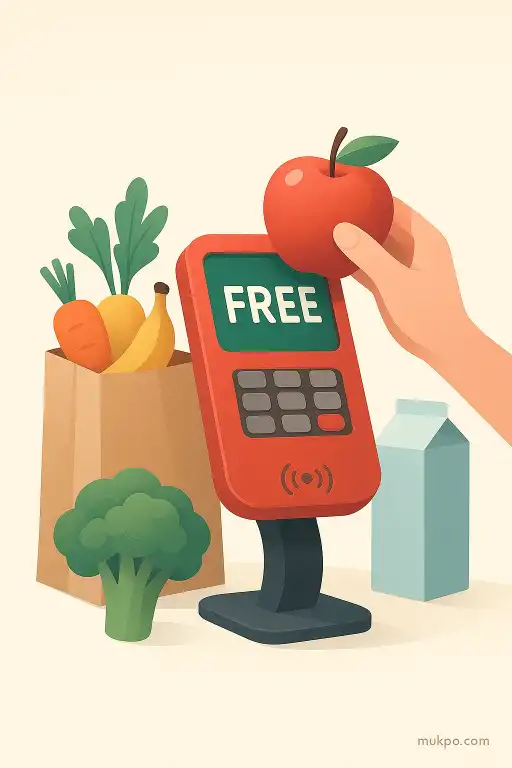
People imagine the laser decides the price. Usually, it’s the point-of-sale computer looking up a number in a file. The scanner reads whatever is encoded. The register then asks a database, “What is this?” and “How should it be priced?” If the lookup fails, there are a few possible fallbacks: reject the scan, prompt the cashier, or accept the item with a placeholder price.
That placeholder can be zero. It can also be a “not found” department line that doesn’t hit the total until the transaction is finalized, or until the cashier exits an error screen. One overlooked detail is timing. Some systems process price changes and product files in batches, often overnight. If a produce label format changes, or a store’s file update lags behind the scale’s label programming, a perfectly readable label can suddenly point to a code the register doesn’t recognize.
Randomness comes from store files, not from the shopper
When it looks random, it’s often because only some shoppers touch the edge case. One shopper buys bananas with no label, enters a PLU manually, and everything works. Another grabs pre-bagged apples with a printed weight label, and that label uses a code path that’s broken that day. From the outside, it looks like the scanner “chose” to be generous.
Even within the same store, different lanes can behave differently. A lane might have an older scanner firmware, or a different configuration for how it handles “price required” items. Self-checkouts can be stricter about weight confirmation, while staffed registers sometimes allow a scanned line to sit there at $0 until the cashier moves on. The shopper just sees a subtotal that doesn’t change, while the system is quietly holding an unresolved item state.
The quiet ways it gets introduced: updates, promos, and label templates
The most common origin story is a routine change. A chain rolls out a promotion, reclassifies items, or updates its product hierarchy. Produce is frequently moved between “sold by weight” and “sold by each” for seasonal reasons. If the scale’s label template is still encoding weight for an item now priced per unit, the register might not know which field to trust.
Another source is multi-buy or loyalty pricing. Some registers apply discounts after scanning everything, not per item, and produce discounts can be handled in a different module than packaged-goods coupons. If the discount module thinks the produce qualifies but the base-price lookup failed, the math can land in strange places. A receipt might show a produce line at $0.00 with a department name, because the system only had enough information to categorize it, not price it.
What staff usually notice, and what they often miss
Cashiers and attendants tend to notice patterns before shoppers do. A rush of “void and re-scan” moments. A specific kind of sticker that suddenly needs manual entry. Or a certain lane that keeps producing weird receipts. But the reason it persists is that it can be intermittent. If the register only fails on a subset of labels printed from one produce scale, the problem hides behind normal traffic.
The overlooked detail is the label printer itself. Those produce scales aren’t just scales. They’re mini product databases. If one scale has the wrong item file, it can print labels that look normal, scan cleanly, and still map to nothing at the register. That’s how two shoppers can buy the same fruit on the same day, and only the one who picked the bag with the “wrong” sticker sees it ring up free.
Related reads
- A vivisection in Edwardian London that ignited the Brown Dog riots
- A parking meter that started dispensing coins instead of taking them
- The city that repainted a highway overnight to look like a giant zebra
- A laundromat that returned a wedding ring after two decades in a dryer
- The cafe that charged customers by the length of their conversations
- The calming tunnel effect of repetitive chores